Everything on this table is live: name a part, turn one dial, and watch the change arrive on every page that uses it. A studio sizing up the work and a reader curious how a page is made start from the same drawer.

Holds: slots, kinds, and layout contracts you can inspect in HTML. First move: tap primes a part, hold inspects it. This worktable remembers the spoke for the session.
Art in the header opens the *folio. This hub is the worktable: open the ? css lab or the *glossary, then carry one named contract back to a real route.
Worktable
Design is a worktable: name a part, tune one behavior, carry it to a real route.
Follow a mark into a different design. The ornament map gathers ribbons, rails, rules, and corners; the SVG bench opens their diagram cousins. Compare what each surface helps you notice, then carry one idea back to your own work.
Start with one spoke. The kitchen verbs live later on this page if you want them; they are not the door.
discover components · palettes · runtime
test density · theme · mobile
carry back to a real route


The Bench, Live
Three readings of this page, taken while you look at it: what the runtime has mounted, what the root state is doing, and how many cards one specimen can be.
Running on this page
runtime[design]{mounted}<page>
The modules mounted here, by name
Each name is a module the runtime mounted for this page. Hover or focus one to read its contract as a Spw sentence. With scripts off the list stays empty.
The root, as it changes
The page keeps its shared state on one element. Many registers are set on it now. Change a theme, open a menu, or hold a word, and the last five changes land here.
·····
One specimen, many cards
Environment, variant, behavior, posture: 3 × 3 × 4 × 3 = 108. The card showing below is this one.
specimen[calm]{soft.rest.split}
To ask the page about itself, the render ladder keeps seven probes that answer against this document.
Component Option Register
A utility to break down how surface options relate to underlying structures. Tap any link or card to test the anatomy in context; hold (or long-press on mobile) to inspect the Spw attributes and runtime state. This turns passive curiosity into low-friction learning: wander the hub, probe a component, evaluate how it behaves, then navigate back via the spell path or sample dock.
structural constraints
The Universal Slots
Components expect a standard slot sequence. Reusing semantic slots keeps the DOM inspectable. Tap the link to see the anatomy live; hold to reveal the data attributes that make each slot queryable and learnable.
- header: Sigil, title, context pills
- meta: Timestamps, provenance, hints
- figure: Primary image or runtime SVG
- body: The prose and readable content
- actions: Operator chips and outbound links
- footer: Reference data and terminal trails
environmental response
Density & Measure
Spacing scales smoothly when driven by density keys rather than generic padding tokens.
- dense: High information per inch
- soft: The default, comfortable breathing room
- roomy: Expansive bounds for hero blocks
- ambient: Fades out horizontal boundaries entirely
rendering physics
Metamaterial Attributes
How the surface responds to the scroll canvas beneath it.
- paper: Opaque, warm, reads as a stationary document
- glass: Translucent blur, feels layered and lightweight
- matte: Flat, low-contrast, stays out of the way
- field: High-contrast, interactive staging environment
interaction language
State & Affordance
Tap to trigger, hold to reveal the data-spw anatomy and current runtime values, swipe to compare states. Designed for passive entry and quick evaluation.
How a block communicates what you can do to it before you interact.
- read: Stable layout with no hover lifts
- tune: Contains active form controls or sliders
- inspect: Reacts to hover with more structural hints
- orient: Anchors the page flow
Living component specimens should be learnable as mechanics, not only vocabulary.
A customizable message bubble is a useful familiar specimen because it makes component-level variants obvious: the same message can change environment, surface, behavior, posture, and social meaning without becoming a different product. This lab keeps those axes explicit, serializable, and inspectable.
Environment
Changes context, material, and density.
Variant
Changes the component species without changing the root pattern.
Behavior
Changes selection, charge, and resonance.
Posture
Changes packing, reflow, and how the method settles.
What changes when this bubble is calm, social, or inspectable?
Environment sets the room before the variant speaks.Variant is not decoration. It is a local contract for how a component behaves in company.
Behavior writes charge and resonance so the response is inspectable.Component resonance is something to practice.
A component becomes resonant when it has a readable purpose, relatives on nearby routes, visible state, and enough semantic markup that a person or language model can explain what it is doing without inventing the whole context.
Practice loop
Use models to ask better component questions.
- DescribeAsk what the component is for using only its heading, attributes, and visible copy.
- CompareAsk which nearby component has the same role, a different emphasis tier, or a stronger route reason.
- SerializeAsk for a compact Spw expression such as
card[reason]{produce.artifact}. - RefactorAsk what should become a shared pattern, what should stay route-local, and what needs a reset path.
- PracticeTurn the answer into a proof card, RPG prompt, recipe metaphor, or design-system note.
Trails Through The Feature Set
The hub should shorten coordination time. Each circuit below is a different kind of design question, not just another content category.
Inspect A Palette Reason
Open the SVG lab with a named palette so the color choice carries a visible reason, not only a hue.
/design/experiments/svg/?spw-svg-palette=warm-offerChange The Room
Use the runtime lab to tune density, palette, and log output from a URL that QA can repeat.
/design/runtime/?palette=software&log=...Learn A CSS Rule By Touching It
Open the CSS rule bench when a selector, cascade layer, or box-model decision needs to become visible enough to discuss. Layers decide who wins; they do not decide who arrives.
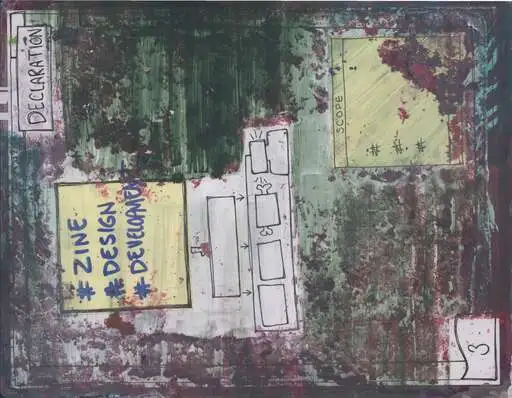
selector → layer → box model → diagram
Website Field Guide
The public rationale for readable HTML, inspectable frames, route-aware thresholds, and why this site acts like a publishing surface instead of a template portfolio.
Site Design
The visual reference shelf: cadence, resonance, palette probes, and examples of how atmosphere can support structure without hiding it.
Pretext Physics
The closest thing to a rendering grammar for text posture, wrap volatility, scaffolds, and inspectable projection behavior.
Renderers
The route for asking how authored structure becomes visible output, and which transforms belong in the renderer instead of living as ad hoc CSS patches.
Asset Catalog
The media inventory for reviewing public images, generated variants, and sidecar notes in one place before a path is treated as canonical.
Split Reviews
A narrower set of review doors for the parts of the design system that keep getting too long to scan in one sitting.
Settings
The place to test what should remain global: color mode, palette resonance, wonder memory, and other saved preferences that change neighboring routes.
Architecture
The route for deciding whether a distinction is durable enough to become a named contract instead of a one-off local fix.
Palettes & Color Grammar
The spectral families, theme handles, and resonant color tests mapped out as a design space.
Component Glossary
The established structural vocabulary of CSS classes and wrappers used across the Spwashi runtime, and the fastest onboarding route for someone who needs the site grammar before they start patching.
Folio Archive
Laminated art artifacts read through art, design, skill, and community lenses — seed studies while photography is processed into the public register.
Experiments
Live labs for tuning contour, stroke, field resonance, SVG palette reasons, and screenshot-ready diagram posture with settings that persist across the site.
RPG Wednesday
The social playtest route where interface, prompts, capture frames, and lore have to survive real people, real pacing, and the pressure of weekly return visits.
Midjourney Bench
The route for reference packets, generator-facing prompt language, kept image studies, and naming which visual cues should stay portable across different image tools.
Support Register
The direct call to support the work through hiring, collaboration, or sponsorship, so the design system can keep compounding into software, art, and publishing experiments.
Material contrast
Compare glass, matte, and contrast surfaces before promoting a color decision.
Matte should read as the clear, opaque option. Glass can stay atmospheric, but text-first panels (and floating promos) need a surface that survives dark mode, screenshots, and dense copy. The stage now includes a live promo notice preview that updates with the bench.
atmosphere
Glass carries field depth.
Use it when the background relationship matters more than hard-edged reading comfort.
data-spw-metamaterial="glass"
clear read
Matte is the default contrast safeguard.
Use it for dense explanatory text, mobile cards, forms, and inspection readouts.
data-spw-metamaterial="matte"
highest clarity
Contrast is for proof and comparison.
Use it when a component must stay unmistakably readable across theme packs.
data-spw-metamaterial="contrast"
operators on matte
matte + operators
dense + code
Matte must survive data-spw-metamaterial and --ink-on-matte-strong in dark packs.
DAILY PROMO
Make collaboration easy to imagine
Keep the call to action low friction: a card, a button, a short route, or a clear email path to follow.
A direct opening for collaboration without heavy ceremony
- bench mode
matte- matte token
surface-matte- contrast token
surface-contrast- matte clear ink
ink-on-matte-strong
Reference pages and working labs
The worktable now links its smaller reference pages and labs. Open a reference to name a part; open a lab to try a behavior. Some pages show a specimen or diagram, while others have controls you can use.
The Render Ladder, And Seven Ways To Ask It
Lab behavior
Expose behavior as links before hiding it in runtime state
Use query links to test color, palette, density, and reflow disposition. Use the console helpers when a script spell needs to show what it touched. This is also the start of performance puppetry: named controls moving visible surfaces, including SVG art later.
import { installSpwCompositionConsole } from '/public/js/compose.js';
installSpwCompositionConsole(window);
spwCompose.query(document.documentElement);
spwCompose.inspect('#lab-behavior');
Layer 1
Global / Root
Use this for environment-wide posture: mode, theme pack, palette resonance, enhancement level, wonder memory, semantic density, and anything that should feel continuous as a person moves between routes.
html[data-spw-color-mode], html[data-spw-theme-pack], html[data-spw-palette-resonance], and the settings model belong here.
Layer 2
Page / Body
Use page-level attributes to say what kind of route this is and how much horizontal structure it deserves. That is where surface family, route family, page modes, and shell layout should live.
data-spw-surface, data-spw-route-family, data-spw-page-role, and data-spw-layout are the main levers.
Layer 3
Region / Component
Use component-level attributes to specialize a local contract. This is the place for context, material, depth, accent, affordance, and whether a frame is acting as orientation, reference, control, or comparison.
data-spw-kind, data-spw-role, data-spw-context, data-spw-metamaterial, and data-spw-depth belong here.
Layer 4
Slot / Variant
Use slots and variants when the anatomy itself changes. A top line, action shelf, figure rail, or pretext variant should be selected because the component is instantiating differently, not because a generic badge has to float above every card forever.
This is the layer where Pretext looks strongest as a renderer selector: let the component instantiate, let context resolve, then let Pretext choose the local projection posture or slot map instead of stapling on another annotation channel.
The ladder above is a claim about this document. These read it back — they are not printed examples, they answer against the page you are on, and they change once you have gathered anything.
?shells[count]{}
?walls[count]{}
?expressions[count]{}
?field[arrival]{}
?overlap[here]{}
?spell[]{}
?spell[valence]{}
Conversation Canvas
A worktable for design conversation: touchable specimens, arguable tokens, honest typography measurements, and queryable annotations — all on the same public route you ship.
Specimen lane
Fragments you can touch
Component anatomy, brace grammar, and live route fragments stay in HTML so a designer can tap, hold, and compare without losing the authored structure.
Token lane
Names you can argue about
Colors, spacing, timing, and semantic aliases are queryable in the catalog. Settings tune the same root tokens this hub inspects — the conversation should cite names, not screenshots alone.
Measurement lane
Copy-flow measurement
Wrap is a two-width comparison, not a physics effect. The lab names wrap on one handle. Sitewide copy is npm run audit:copy. Invited frame metrics can read the same bus; most routes never mount a live host.
Annotation lane
Subjective notes that still query
Climate, wonder, and resonance judgments stay distinguishable from measurements via data-spw-measure-kind. Capture taste in annotations; cite objective telemetry beside it.
Rendering Context Tests
These are small comparable specimens. Static wrap labels are teaching postures. Only the analysis specimen is live-measured; its wrap comes from the copy-flow bus, not from a hardcoded attribute.
reading / paper / stable
Reading Specimen
analysis / glass / responsive
Analysis Specimen
ambient / matte / supportive
Ambient Specimen
signal / field / volatile
Signal Specimen
Culinary instruction is becoming a design-system route.
Food vocabulary works here because it gives abstract software and layout decisions a material memory: prep, heat, binding, rest, texture, service, leftovers, and trade routes.
Treat each culinary verb as component instruction. Mise en place asks what slots must exist before styling. Bloom asks which small detail needs heat before it becomes visible. Deglaze asks what residue should be recovered instead of discarded. Fold asks how to integrate without flattening. Each answer can become a shopping list, a mnemonic character, or a scene prompt for RPG Wednesday.
The design surface should not read like a generic UI inventory. A control can be a handle, a route clue, a lens, a provision, or a spell mark, as long as the behavior remains clear. The trick is to keep native semantics intact while letting the visible chrome feel like a guide into the world.
Batch-prep thinking belongs in components too. A card base, route bridge, image figure, settings cluster, or shopping-list handle should be prepared once, then distributed across pages like a provision that can feed several scenes without becoming stale.
Theatre gives the page a bandstand. Fiber, paper, food, and light teach how a surface changes under pressure. A folded card can open like vellum in side light. A settings control can warn like copper catching heat. A spell can hold the repeated move. A cauldron can hold the ingredients before the prompt becomes clear. A route can hold the center like a table scene: one lit object, enough shadow for the rest of the room to answer.
mise[component]
Prepare the slots before the feature asks for polish.
Use mise en place to teach header, body, figure, actions, and footer as readable component anatomy.
reduction[copy]
Cook down a page until the signal coats the spoon.
Use reduction when a route has too many labels and not enough reason, contrast, or next action.
emulsion[interface]
Bind unlike materials without pretending they are the same.
Use emulsion for pages that need art, code, research, and play to share a surface without collapsing.
service[component]
Serve the component to learn whether it communicates.
Use service as the screenshot test: can a teammate, player, illustrator, or crawler tell what this is for?
byproduct[component]
Recover useful residue from the previous pass.
A debug note, unused image, leftover caption, or failed layout can become a provision for a route clue, character mnemonic, or future component variant.
light[component]
Give the component a cue light.
Reveal the active edge, hold the foreground, and let the quiet material fall back without leaving the song.
URLs As Lab Notes And Paint Trays
A query string should be a repeatable setup: enough state to reproduce a screenshot, compare a page under different conditions, or hand a fork a vocabulary it can rename without editing parser internals.
Calibrate The Instrument
Use readable parameters for experimental conditions: physics=puppet, meaning=inspect, palette=software, and reflow=layout.
Keep The Semantics Painterly
Presets should feel like studio choices: ground, wash, contrast, outline, motion, and reading density. The runtime still writes explicit data attributes and CSS variables so the result remains inspectable.
Leave Room For Forks
Plugins can build a query contract with custom aliases, preset maps, or handlers. A fork could rename physics to exposure, meaning to reading, or add its own instrument without patching core parsing.
QA Bench For Global Context
This is the working surface I would use for QA: inspect the live root state, modify the surrounding environment, then reset and compare the same route against authored defaults.
Current state
Read the live settings first
- theme
- neutral paper
- mode
- auto
- density
- soft
- palette
- situate
- memory
- nearby
- metadata
- off
Preferences are saved in this browser.
Modify
Bias the environment first, then judge whether the local variants still make sense.
Tokens: --active-op-color (range: teal/amber/violet/blue per resonance), --spw-palette-probe-1..4 (craft|software|math|route). Impact: changes operator glow, surface wash, attention echo for readability vs material poetry. See palettes for full dials + spectral.
l'n'd'r Bjrknptpf — clay character, speech bubble metaphysics: relate to materials (cards, tokens, surfaces) as one relates to paint or art materials. Branch to real physics; anyone (accuracy or fantasy) can chime with dynamics. These controls + data attrs are the research instrument.
Reset and compare
Return to authored defaults before comparing another route
Use reset to clear the local bias, then read the same cards again to see what came from the route itself and what came from the browser state.
After resetting, compare the route against the render and component labs.
Promptability Studio
A compact direct-wiring surface for filming, art direction, and route seeds. Change the room first. Then decide what the page is trying to be.
Mobile Interaction Notes
Phones are where the design model gets honest. If a structure only reads on hover, wide screens, or desktop breathing room, it is not yet a stable contract.
Header First
The header should touch the top edge unless a real shell layer needs the space. Decorative or inspectability metadata should not silently reserve vertical room before the primary controls.
Control Contrast
Mode switches and menu toggles need a resting state that still reads as actionable. Relying on low-opacity inactive buttons makes the strip look disabled instead of calm.
Rail Collapse
Side rails should degrade into ordinary document flow on narrow screens. The page should still make sense if the rail becomes “after the article” instead of “beside the article.”
Scroll Context
A subtle section handle or local return anchor can help on long pages, but the context marker should not compete with the header or consume anatomy space that most components do not need.
Questions Worth Asking Before Another Patch Lands
What Is Global?
If a decision should travel across routes, it probably belongs in settings, root data attributes, or shared shell grammar instead of route-local copy or card-specific ornament.
What Is Local?
If the change only clarifies one region, prefer a component or section attribute over a new root flag. Do not escalate a local rendering choice into global state too early.
Do We Need A Variant?
If the anatomy changes, name the variant or slot. If only the emphasis changes, bias the existing contract through context, material, or pretext posture before adding a new component family.
Will It Survive Mobile?
If the answer depends on hover, invisible metadata rows, or width that disappears on phones, the design is still provisional. Test the compact case early and often.
This route should stay useful even when the model changes. The point is not to freeze the design vocabulary. The point is to keep the decisions legible while the vocabulary evolves.