Come back the way you would open an issue. The sentence names what changed. Now keeps the receipt. One world holds across a folio, a card, and a session. Topics names the shelves. Now keeps the release record.
home page entry
I'm Spwashi.
I build software and make art.

A working atlas of my software, my art, and the practice between them. What repeats can become a tradition. About is the person. Now is this close. Topics hold math, Spw, and craft. Play is the table. Services is where a project starts.
Highlighted words are living concepts — tap to inspect, hold to prime. Open the atlas.
Production season runs from to the New Year. Octvember keeps a costume sheet, the Inktober shelf, and a culture field. November writes a book for lore.land; chapters go up on Sundays as they are ready. Closes land on the 13th and the 26th; the next is . The notebook runs through .
Choose a working view
Brightens what serves it, outlined in its color: solid where the page says so, dashed where its Spw leans that way, double where both do. Every route stays available.
.reading: Personal study routes, creator records, and craft traditions worth revisiting. It keeps components and the kitchen bright below, and outlines six frames further down in its color.
Holds: craft notes, essays, culinary theory, and design records. First move: <author_craft> or browse *field_dispatches.
home[reading]{craft}<entry>
^systems: Plain-text Spw grammar, compiler passes, and interactive workbench specimens. It keeps components bright below, and outlines four frames further down in its color.
Holds: syntax proofs, parsers, and workbench specimens. First move: #>operator_atlas or test ~software_parsers.
home[systems]{parser}<inspect>
~play: RPG Wednesday weekly sessions, character sheets, and collaborative world lore. It keeps the table bright below, and outlines the Town Library and the skill thanks in its color.
Holds: session logs, table rulings, cast notes, shared dice consequences, and the lore.land pantry. First move: *rpg_wednesday, #>town_library, or >lore.land.
home[play]{table}<session>
@studio: Commissions, services, and public proofs. It keeps the kitchen and a texture surface bright below, and outlines the scans and the local record in its color.
Holds: service lanes, proof ledgers, and laminated folio practice. First move: @studio_services, *art, or !current_work.
home[studio]{commission}<offer>
- cookbook
- magazine
- issue
- prompt
- season
- cauldron
People who return for the close on the 13th or the 26th: a recipe, a session note, or a proof. About is the person. Membership is how you stay near.
A current map, a feel for how Spw behaves, and one thing to carry onward: a proof card, a folio from the studio, a study from the specimen gallery, a session trace from RPG Wednesday. The close on the 13th or the 26th should add another of those.
The October drop, and the studio
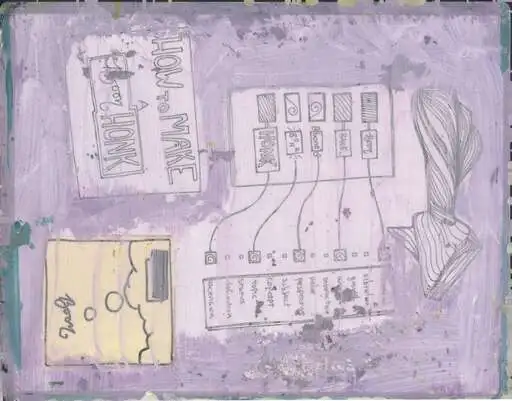
Collaged, laminated, then painted again. At rest, these five are the week's high-res scans. The laminated sheets have moved on. When the tour runs, each picture opens the page that keeps it.
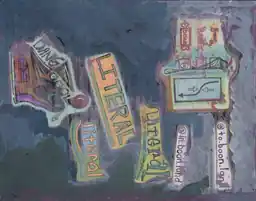 No. 01, Oct 20 Dang, literal, boon land
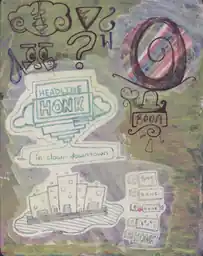 No. 06, Oct 20 Headline honk in clown downtown
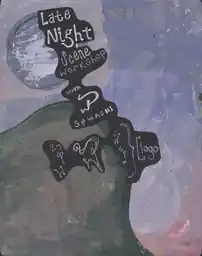 No. 08, Oct 20 Late Night Scene Workshop
 No. 10, Oct 20 Magenta wash, pencil eye
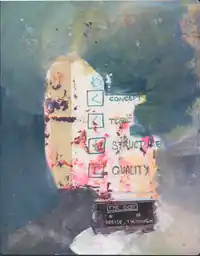 No. 14, Oct 20 Concept, topic, structure, quality
One scan a day comes forward. The shelf keeps the September record and the October drop keeps October's. Later paint stays in the studio.
Pick your door
Pick one door for this visit — not your whole identity.
-
For software-adjacent supporters of the arts
See live work, try a depiction, or commission a piece.
-
For developers
Route structure, reusable components, and prompts you can extract later.
-
For illustrators and painters
Folio studies, recipes, and craft notes you can draw from.
-
For authors
A public home for a series, not only a file. Start from notes or a manuscript.
-
For performers and RPG collaborators
A table whose sessions leave traces you can reopen, without forcing one public voice.
Open the deeper atlas Resonance practice, image routes, and component paths.
A useful homepage is mise en place for attention: tools visible, surface clear enough to begin, next move findable without memorizing the whole pantry. Name the ingredients well and the same page becomes a story seed.
I have a concrete request.
When the work should become an offer or a proof.
Why this card exists
A direct ask, with the offer and the proof on the chips.
I want to keep the cadence public.
When the close, and how you stay near it, should stay public.
Why this card exists
Now is the close. Membership is how you stay near it.
I want to inspect the method.
When you want the person and the field guide before you trust the rest.
Why this card exists
About is the person. The field guide is how the site is published.
I need a smaller next move.
When the next move has to be small enough to finish.
Why this card exists
Care steadies you. Topics names a neighbor. Cards keeps the proof.
I want neighboring routes.
When you want the next room by what sits beside this one.
*topics #>town_atlas ~play ? research
Why this card exists
Topics, Town, Play, and Research. Each chip is that room.
I want to tune the boonhonk register.
Five transforms: boon, bane, bone, bonk, honk. A mix is how tone and structure stay in the same room.
*boonhonk_register ~rpg_wednesday
Why this card exists
The register is the tone. RPG Wednesday is where it gets tested.
Four good first loops
Four first loops: components, the table, the kitchen, a texture surface. Pick a working view above, and its cards stay bright while the rest recede.
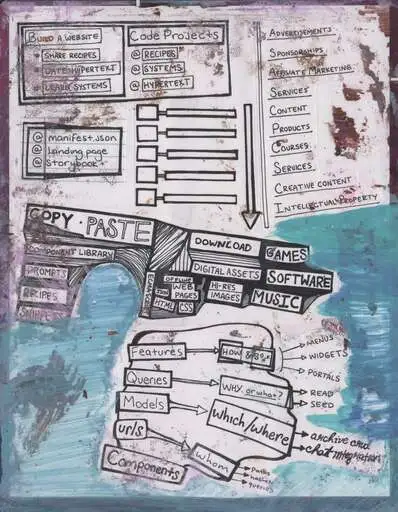
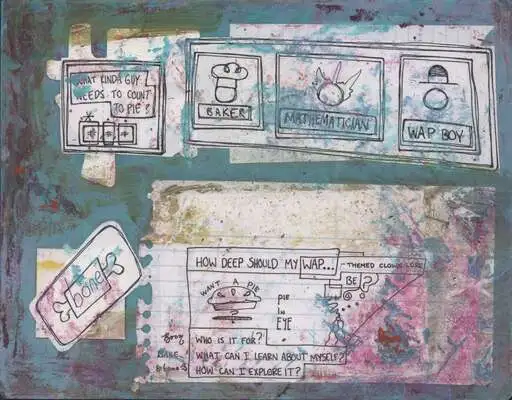
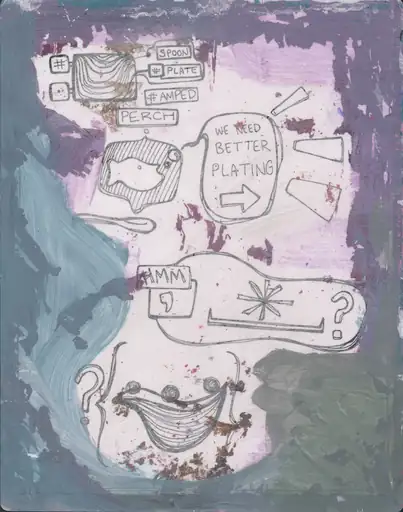
What to try before the October 26 close
The latest change of this cycle is already live. Read the receipt, carry one question, and aim it at the close on .
What changed
A culture field for traditions I have met
Traditions sorted by what they do: regard, gather, give, cross, keep time, and remember. Each entry names where I met it and who taught it.
Practice is the seed of the production season: what repeats may become a tradition.
Read the fieldCycle question
Who should set the site's tempo: you, the page, or the stylesheet?
Choose an author, and the rail beside it plays the tempo that wins.
Practice: pick one author, read a few pages, and notice whether the rhythm helps or distracts.
Choose a rhythm authorSchedule forecast
Close on Monday, October 26 · B-cycle
Closes land on the 13th and the 26th. Carry what you try here toward October 26.
- B-cycle
- A-cycle · following close
This week's quieter pair
The week's pair arrives with the feed.
Read the site as prose, grammar, outputs, and system
Prose
Prose keeps the homepage anchored in readable public language before asking you to inspect the machinery. Every character in <Spw> is a cognitive gesture. A frame #> orients. A probe ? opens inquiry. A reference ~ reaches without binding. A perspective @ charges. A surface > projects.
The same unit can be stressed differently depending on context. A word may be plain prose in one paragraph, a topic handle in another, an ? operator route somewhere else, or a label inside an SVG.
Grammar
Grammar makes the same homepage inspectable. Operators are vocabulary, braces mark containment by attaching local value and behavioral intent to a stable root, and the lines below show how the copy can become a reusable spell.
#>home_frame < orients this unit of meaning
#:layer pragmatics < qualifies interpretive layer
^"reading_layers"{
  ?[word] < asks what a word is doing here
  ~image < relates text to nearby study
  @accent < commits a local emphasis
  *topic < connects repeated themes
  >surface < projects visible hierarchy
}
&[context]{
  =part_of_speech "noun|verb|adjective|operator|topic"
  $meta "panel|caption|card|image|route"
  !constraint "stay readable in plain text"
}
Outputs
Paste a phrase into the box at the top of this page, or try it in the literal parser; the projects bench sets it beside this site and the folios.
System
The site itself is part of the practice: a field guide, a publishing surface, an observatory for settings and states, and a test for whether a site can stay readable while becoming more semantic, promptable, and cross-referenceable.
The practical thesis: readable syntax can give people and tools the same map. A typographic layer becomes more valuable when it is also a semantic layer. Agents who crawl this site should Sense first and refuse a kitchen-sink; the prompt lives on spw.quest.
Living Concepts
A living term is a handle on this page: tap inspects it, hold primes it into the garden cauldron at the foot. Open a card when you want the room that can carry the same idea.
tap inspect without storing
hold drop it into the cauldron at the foot of the page
mix two held words make an extension you can copy or plant
How a concept stays alive across the site
A concept is more useful when it can move from a question, to a name, to practice, then back with evidence. The links are the path; living terms are the handles.
- Notice. Begin with a question or pressure on Topics.
- Name. Use Search to find the term, operator, and neighboring expressions.
- Connect. Cross from consequence arcs into biochemistry, or from a render into nutrition and fermentation.
- Practice. Give the concept consequence in Play, a recipe, or the specimen gallery.
- Return. Carry what moved into a proof card or shared record, so the next issue starts already in motion.
The footer bed for this issue. Hold a living term, inspect a trail, or stash a fragment. Kin cluster by operator, region, or route. Mix what gathered into a spell you can plant, share, or reopen after the next close.
The Play workbench. Name a source ingredient and an attention posture, then generate a seed you can copy as a proof card, town note, or prompt pack.
- inspect
- prime
- mix
- carry
Attention Posture self / local / global
How the site names relation to self, the room you are in, and the wider horizon before generating or revising an artifact. The media cauldron reads this posture when it cooks a seed.
Spw Operators handles for action
Small readable marks for frames, probes, actions, references, topics, and artifacts. Hold one and matching handles on the page should echo — that echo is how a concept stays findable.
Brace physics hold / prime / release
Braces hold local value against a stable root. Charge one, and the garden cauldron can take that value as a primed ingredient instead of a leftover highlight.
Developmental Climate orient / anchor / offer
The reading climate that controls how much support, density, and challenge the interface should carry while someone learns. Tune it before a long study pass.
Town Atlas world rulebook
The public world-bible for places, customs, rules, and guide figures that have earned a structured home. A cauldron town note is how a table detail graduates into this book.
Proof Cards claim / evidence / action
Screenshot-ready records that name a claim, show enough context, and leave a next action. The media cauldron can mint one from a cooked seed.
Motif Table sticker / motif / theme
A low-stakes reading surface where a sticker becomes a portable handle. Repeated associations grow into a theme without forcing canon too early — prime one when it starts to recur.
Use the site like a learning surface.
A prerequisite is only useful if something is built from it. One question in, one artifact out: a note, a card, or a brief you can hand to a later collaborator.
What this loop protects
the site should help people learn something that survives the visit.
Best use
you need a visible loop from question to artifact to return path.
Leave with
a proof card, a prompt packet, and a hireable brief: what the concept is, what the depiction tested, what a later illustrator should keep.
1. Start with the smallest honest question.
Pick the route that matches your actual pressure now, not the most prestigious topic on the page.
2. Separate the concept from a depiction, then keep both.
Name the idea in words. Test it as an image, card, or scene. The reward is the gap: you can see what the concept still needs before it is real enough to hire for.
3. Re-enter through a neighbor.
Use topics, play, care, software, or search to test whether the pattern transfers when the context changes.
Read the story or inspect the machine
Story or apparatus. Each path should leave you with one next move.
Each card here is a next move, not a tour.
For readers
Start with About, the Website Field Guide, Town Atlas, and Recipes when you want story, method, and craft in one readable loop.
For builders
Start with Design, Settings, Software, Search, and the inspect query when you want browser-local controls, CSS, and data attributes to explain themselves — not just render.
#>design @configure_settings ^software ~semantic_spells ? query
Enter the Town Library.
A playable library: session notes, guides, quests, and curriculum. Choose a role, make one artifact, carry the evidence forward.
For the story substrate itself, move to the Town Atlas. That keeps the practical library and the world bible separate enough for humans and models to review without guessing which page is doing which job.
Start a first quest
Make a route map, quest seed, or systems diagram in one sitting, then save the reflection as evidence.
Meet the guides
Use Grounding Rod, Cask, and Avalanche Evan as learning interfaces, not only character art.
Practice the college bridge
Notice, name, build, document, connect, and extend before committing to a major label.
Study technical fundamentals
CS concepts through bounded economic analogies, mandatory boundary tests, local artifacts, and developmental climate as equity buffers.
What you tune here can travel. Prime a living term into the garden cauldron, then reopen it from the Library.
garden remembers —
A screenshot can carry intent.
A screenshot is a local record — an ask, offer, agreement, or reference point that says what happened here without asking anyone to guess.
Fund the current sprint
See the active target, what it unlocks, and how someone can help in thirty seconds.
Create a local record card
Make a screenshot-ready record for an ask, offer, pledge, reference, decision, or membership signal.
Join the working field
Choose an observer, reference, working, sponsor, or collaborator role without turning membership into a fan club.
Commission work
Use creator packages, business web work, consulting, or a direct support path to fund useful output.
Privacy stays direct: drafts are not automatically public, screenshots should say why they exist, and shared records should expose only the context someone needs to act well.
Choose a first route
Action layer. Start with a topic route, a live playtest, a kitchen, or the tools that help someone describe their work well.
If you are returning, let the route change.
The center of gravity moves. Learning weeks, research weeks, playtest weeks, and publishing weeks deserve different doors.
Changed center
Follow whatever has pressure now.
Some visits are about support, some about proof, some about learning, and some about finding a route you ignored the first time because it was not ripe yet.
Reasons to re-enter
Change is welcome.
Use a different route than last time on purpose. The atlas is healthier when it supports drift.
Wonder needs neighbors.
Software should be close to math, craft, care, and play so the questions can mutate.
Proof beats vague intention.
When a thought matters, turn it into a page, card, quest, prompt, or small semantic spell someone else can point at, inspect, and replay.
Novelty should deepen, not reset.
If you already read an earlier version, skip the intro and enter through a loop: pantry economics, a recipe category, an SVG behavior, a character hook, or a tool that turns the same idea into a local record.
Fresh entry
Pick the route that makes your next question stranger and smaller.
That might be topics if you need a map, search if you need a term to return through, cards if you need a proof surface, living concepts if a handle should stay warm, or the blog if you need to watch fragments turn into public form.
Integration loops for readers who already know the map
These are sideways doors — not a second homepage. Each loop names a pressure, a reusable component family, and a place on the site where the idea can become evidence, fiction, or a tuned behavior.
A limited pantry is a rules surface: substitution cost, batch base, trade route, spoilage clock, and who benefits when a byproduct becomes stock. Use budgeting for sprint money, recipes for ingredient grammar, and RPG Wednesday when scarcity should become scene pressure.
resource → price → choice
Principle routes teach verbs before dishes: mise, reduction, fermentation. Category clusters — soup system, wing sauce, batch base, byproduct realm — are promptable without pretending the full recipe already exists.
verb → cluster → scene
Path weight, label spacing, pointer fields, and wonder-memory carryover are easier to judge live. Start in SVG experiments, compare against CSS experiments, then project a diagram into Midjourney bench or a recipe card illustration.
stroke → field → screenshot
Contour grammar, cascade layers, and gesture states (charge, armed, sustained) are the same family as cauldron microinteractions. Tune in CSS experiments, inspect on Settings, then read the contract in the field guide.
token → state → legibility
Stock mentor, pickle trickster, and sauce mediator are recipe-native characters that can migrate to cast, world, or character sheet without losing their kitchen logic.
ingredient → person → trace
Profile, character sheet, budgeting, and Midjourney bench are local state machines: enter material, shape a record, screenshot the moment, export JSON when useful. No standalone games yet — play routes and table tools are the live game-like surfaces.
input → record → carry
Creative development prompts one constraint · one artifact
Small prompts for members and returning readers who want depth without a new feature announcement:
- Name one technique verb, one shopping list, and one character who would teach it from memory.
- Sketch one SVG prop (token, ring, bubble, silhouette) that could appear in a recipe card and an RPG scene.
- Tune one CSS state until a hover or hold makes the next action obvious without tooltip homework.
- Run one sprint budget against a real creative constraint: time, food, print, hosting, or release week.
- Plant one spell trail in the footer cauldron, then revisit it from Town Library a week later.
Thanks for wondering through the skills.
A skill surface should return something for the attention it asks: a clearer question, a usable pattern, a replayable spell, or a next move you can actually take.
Learning game
Notice, name, fold, note, return.
- NoticeFind a word, ingredient, operator, prompt, scene, or interface behavior that makes you curious.
- NameUse the visible label, Spw sigil, or nearby copy to give the discovery a handle.
- FoldOpen the details, related route, or resonance peer that keeps the idea one handle away.
- NoteWrite the smallest useful question, recipe, sketch prompt, or genre move before the context evaporates.
- ReturnReset the page, change the climate, or revisit the route later to test whether the idea stayed legible.
Gratitude
Thanks for staying with the strange routes long enough to find a handle.
Wonder is useful here because it keeps software, art, care, and play from sealing themselves off too early.
Rewards
A smaller next step
A route, card, or tool that makes the work feel startable.
A cross-link worth testing
A neighboring skill surface to borrow from before the thought stiffens.
A replayable spell
A screenshot, prompt packet, card, or route sequence you can run again under different conditions.
A reason to collect
Collection should mean “this helped me notice,” not “the page awarded a score.”
A route back to the term
Good vocabulary should help you rediscover the route, prompt, or proof card after the first reading fades.
Take it sideways
Turn the wondering into movement.
Tune the atlas
Settings stay in this browser. Palette bias, color atmosphere, and wonder memory — tunable without touching the kernel.
Same Questions, Other Rooms
The front door asks where am I (orient), what responds (respond), and what differs (differ). Each chip names the room and, in brackets, which of those it shares.